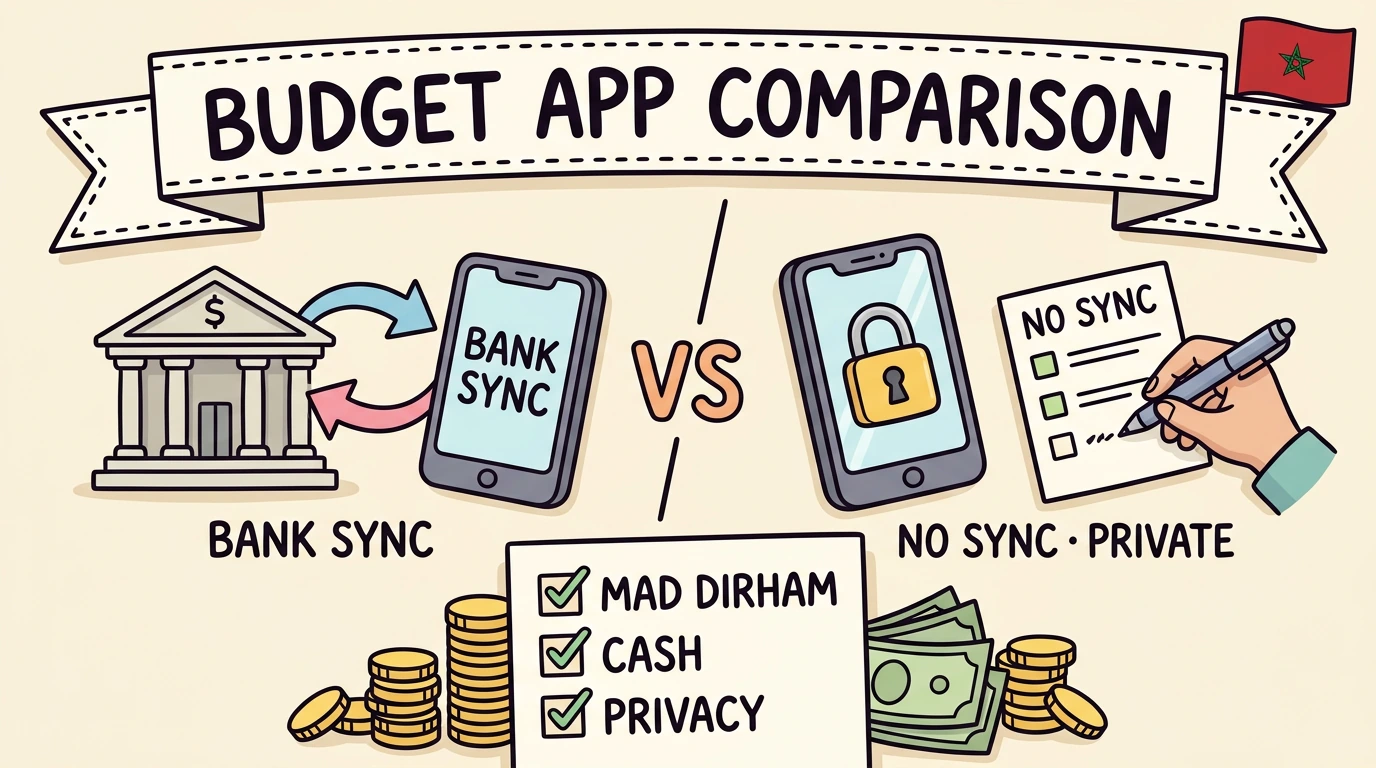
What this comparison covers
A budget application helps you plan spending and savings before the month starts. In 2026 there are two very different families: bank-connected platforms that read your accounts automatically, and privacy-first tools that never connect to a bank and run on what you type in yourself. This guide compares the two for someone living in Morocco, where a large share of payments is still made in cash.
- What bank-connected sync really means for your data
- What a no-sync, privacy-first budget app keeps private
- How each family handles cash spending in Moroccan dirhams
- A five-point checklist to pick the right one for you
- Where SmartJib fits — and what it deliberately does not do
What a budget application actually does
At minimum, a budget application lets you set a monthly plan, record what you spend, and see what is left. The big difference is where the data comes from. A bank-connected platform pulls your transactions automatically, so the ledger fills itself. A no-sync tool starts empty: you enter income and expenses by hand, a few seconds at a time.
Automatic sync is convenient, but it means a third party reads your account history and the app depends on that connection staying alive. Manual entry needs a little discipline, and in exchange no outside service sees your transactions and the app keeps working even when a bank API is down — which matters when much of your money is cash.
Bank-connected vs no-sync: the real trade-offs
Neither family is objectively better; they optimize for different things. Bank sync optimizes for zero effort. No-sync optimizes for data minimization: the records stay with you, and there is no third-party connection that could be exposed.
For many households in Morocco the practical question is cash. Much of daily spending — groceries, transport, small services — is paid in dirhams and never appears on a bank statement. A cash-first budget application lets you log those expenses in MAD in seconds, which is exactly the gap that automatic sync leaves open.
- Bank-connected: automatic balances and categories, but your data leaves your device
- No-sync: manual entry, but no outside service receives your transactions
- Cash tracking in MAD only works if the app supports it explicitly
- Offline reliability: a no-sync app keeps working without any bank connection
Checklist: five things to test before you commit
Whatever the family, run the same five tests on any budget application before trusting it with a full month of data.
- Currency: does it handle the Moroccan dirham natively, with MAD amounts shown correctly?
- Cash: can you log a cash expense in under ten seconds?
- Privacy: does the privacy page say what is stored, where, and for how long?
- Export: can you download your data (CSV) so you are never locked in?
- Cost: is there a free tier to start with, and what does the paid plan actually add?
How to choose in ten minutes
Start from your constraint, not the feature list. If most of your spending is cash in dirhams and you do not want any company reading your accounts, a privacy-first no-sync app is the natural fit. If your spending is mostly on a card and you want zero manual work, a bank-connected platform may suit you — read its data policy first.
Either way, pick one, enter one real month, and look at the numbers at the end of the month. The right budget application is the one you keep using. SmartJib is built for exactly the first case: MAD, cash-first tracking, no bank sync, and a core budget that is free to start with no time limit.
Where bank-connected platforms stumble in cash-and-card markets
Automatic bank syncing looks effortless in product demos, yet four practical snags appear as soon as a household mixes cards with banknotes: broken bank connectors after two-factor authentication updates, ATM withdrawals misclassified as spending instead of transfers, ambiguous instant peer transfers, and card purchases posting three business days after the money was actually spent.
A privacy-first no-sync budget application avoids those blind spots by updating balances the moment you log a two-second entry — with no waiting for card settlement and no third-party aggregator holding read access to your full banking history.
- No broken sync loops whenever bank security prompts change
- ATM withdrawals stay neutral transfers rather than fake expenses
- Category balances update right at the counter instead of days later
- Your transaction history stays off third-party bank aggregators
A seven-day scorecard to test any budget application before paying
Instead of comparing feature tables on marketing pages, run any candidate through seven real days that include one weekend and at least one ATM cash withdrawal. Score five concrete items: entry speed in seconds, combined bank-plus-wallet accuracy, native MAD and multi-currency clarity, one-click CSV or JSON export, and separate logins for partners sharing a workspace.
On day seven, compare the full annual subscription price against what you used every day; many households find that a clean no-sync tier covers daily budgeting without charging extra for bank connectors that miss cash transactions anyway.
- Time how many seconds a live cash entry takes at a shop counter
- Check that bank and wallet balances both reconcile after seven days
- Export a CSV or JSON file and open it on your computer to verify
- Calculate total twelve-month cost before entering payment details
SmartJib
Frequently asked questions
What is the difference between a budget application and a budget app?
They are the same thing. “Budget application” is the formal term; “budget app” is the everyday one. Both mean software that helps you plan and track spending — on a phone, a tablet, or in a web browser.
Is a bank-connected budget app safe?
Large platforms use encryption and regulated open-banking connections, so the risk is usually not the connection itself but the amount of data held about you in one place. Read the privacy policy, check what is stored and for how long, and prefer tools that let you export or delete your data.
Can a budget application track cash in Morocco?
Yes, if it is built for it. Many international apps assume card spending. Look for native Moroccan dirham support and a fast way to log cash expenses — in SmartJib you add a cash expense in a few taps, in MAD.
Do I have to connect my bank account to use SmartJib?
No. SmartJib never connects to your bank and never asks for a banking identifier. You enter your income and expenses yourself, in MAD or another supported currency.
What happens to my budget history if I stop using a no-sync application?
When an application supports full CSV and JSON export like SmartJib, you can download your complete ledger of transactions, categories, and balances onto your own device at any time, so your financial history is never locked behind an active subscription.
SmartJib keeps budget envelopes separate from bank, home, and wallet balances.
Also: Budget tracker MAD guide · 4 budgeting methods explained · Why SmartJib is private by design
Educational content, not financial advice. Figures are worked examples; verify rates and rules with the official source. Editorial policy.