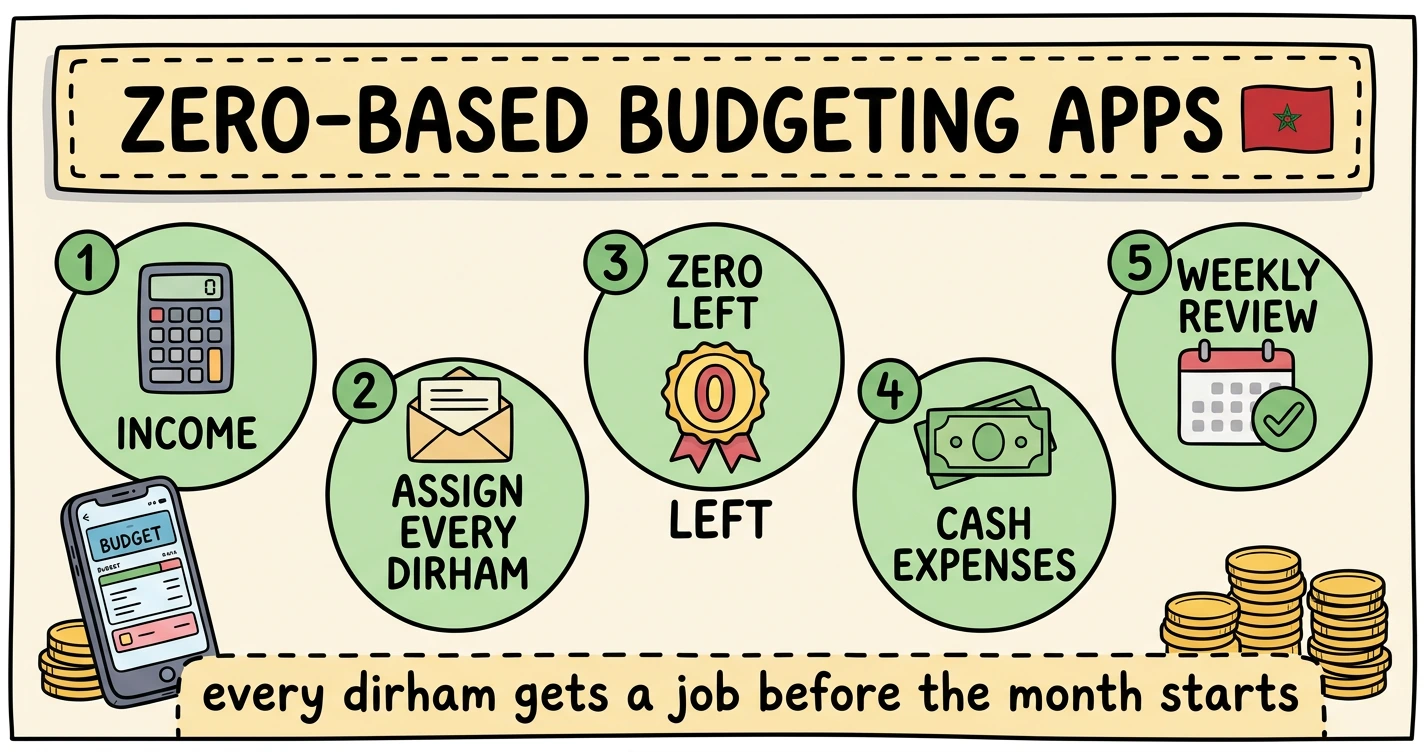
Zero-based budgeting apps, explained
Zero-based budgeting means every unit of income is assigned a job before the month starts, so that income minus assigned expenses equals exactly zero. A zero-based budgeting app is simply the tool that makes that assignment easy to maintain. This guide covers what to compare in these apps, and how zero-based accounting differs from everyday bookkeeping.
- The one rule: assign every dirham until the remainder is zero
- Zero-based budgeting apps vs zero-based accounting software
- Why cash-first users in Morocco need a no-bank-sync option
- A worked example with 8,000 MAD of monthly income
- How to start today, in under ten minutes
Zero-based budgeting apps vs zero-based accounting
The phrase “zero-based accounting” comes from business finance: every expense is justified from zero each period, instead of adjusting last year’s budget. Consumer zero-based budgeting apps borrow the same idea for households: instead of “spend what is left”, you decide in advance where each dirham goes.
In practice the two are easy to confuse. Accounting software records what already happened, with invoices and formal entries. A budgeting app plans what will happen, with categories and a running remainder. For a household in Morocco, the budgeting app is the tool you open every day; accounting software is for businesses with VAT and formal books.
What to compare in a zero-based budgeting app
Not every app labelled “zero-based” actually enforces the method — some are expense trackers with a pretty remainder. Compare these five points before you commit:
- Remainder to zero: does the app show income minus assignments, and make you deal with the leftover?
- Cash categories: can you track cash spending in MAD separately from other spending?
- No bank sync: is manual entry fast, and does your data stay away from third-party connections?
- Multi-currency: does it handle dirhams natively, plus other currencies if you travel or receive money from abroad?
- Export and history: can you see last month’s plan and download your data?
Worked example: assigning 8,000 MAD to zero
Example, not a recommendation: a household with 8,000 MAD of monthly income in Morocco. Rent 2,500, food and groceries 2,000, transport 500, phone and internet 150, savings 1,500, personal spending 700, buffer 650. Total assigned: 8,000. Remainder: 0. When an unexpected expense appears, you move money between categories — the total stays 8,000 and the remainder stays zero.
- Rent and fixed costs first — they do not move
- Food and transport next, using your real figures from last month
- Savings as a fixed line of the month, not an afterthought
- A small buffer, so one surprise does not break the plan
- Anything left over still gets a job: debt, savings, or fun money
How to start with a zero-based budgeting app today
Pick one app, enter your real income for the month, and create categories that match how you actually spend in Morocco: groceries, transport, rent, family, savings. Assign every dirham until the remainder shows zero. Then, for one month, record each expense as it happens and move money between categories when life happens.
Review once a week — ten minutes is enough. If the remainder is not zero, something was forgotten: find it. SmartJib’s zero-based budgeting method does exactly this in MAD, with cash tracking and no bank connection.
Why automated bank feeds often clash with zero-based habits in MENA
Zero-based budgeting relies on knowing what remains in a category before you tap a card or hand over cash, yet imported bank feeds lag by two or three days, mix purchase dates with settlement dates, and cannot tell how a 200 MAD ATM banknote split across produce, shared taxis, and bread (example).
That is why many zero-based budgeters across Morocco and the wider MENA region prefer fast manual capture: two seconds at payment keeps your 'ready to assign' figure honest and turns a category ceiling into a real-time decision rather than a late post-mortem.
- See true category availability at the moment you pay, not days later
- Split ATM cash withdrawals accurately across the categories that spent them
- Keep your ready-to-assign figure aligned with real spendable money
- Avoid duplicate pending-and-settled bank feed glitches
Setting up sinking funds and multi-currency balances inside one zero-based plan
A zero-based app shines once non-monthly obligations sit right beside everyday groceries: add dedicated sinking-fund lines for annual car insurance, September school supplies, Ramadan, and home repairs, funding each line monthly so the reserve grows untouched until the bill arrives.
If you also pay EUR or USD digital subscriptions or hold a travel wallet alongside MAD or SAR, pick an app supporting fourteen or more currencies like SmartJib so each balance stays accurate in its native currency without daily FX rounding noise.
- Create monthly-funded sinking lines for annual bills and seasonal peaks
- Keep foreign-currency balances separate from local daily categories
- Cover any red category weekly from a funded line, never by guessing
- Download a monthly CSV or JSON archive to back up your ledger
SmartJib
Frequently asked questions
What is a zero-based budgeting app?
A budgeting app built around one rule: you assign every unit of income to a category until nothing is left unassigned — income minus assignments equals zero. Instead of saving whatever is left at the end of the month, you give every dirham a job on day one.
What is the difference between zero-based budgeting and zero-based accounting?
Zero-based accounting is a business method where each period’s budget starts from zero and every cost must be justified. Zero-based budgeting applies the same idea to a household: every dirham of income is assigned before the month begins, so the remainder is zero by design.
Do zero-based budgeting apps work without a bank connection?
Some do, some don’t. Apps that rely on bank sync cannot see cash spending, which is a large share of daily life in Morocco. Cash-first, no-sync apps like SmartJib let you enter expenses manually in MAD, so the zero-based method works even if you never connect an account.
Is zero-based budgeting good for irregular income?
Yes — often more than fixed percentage rules. When income changes from month to month, you simply re-assign the new amount from zero each time it arrives. Start the month with the minimum you are sure of, and assign the rest when it lands.
How much time does daily manual entry take in a zero-based budgeting app?
Typically one to two minutes per day spread across three or four quick purchases, plus a ten-minute weekly check-in to reconcile your cash wallet and bank balance.
SmartJib keeps budget envelopes separate from bank, home, and wallet balances.
Also: Budget tracker MAD guide · 4 budgeting methods explained · Why SmartJib is private by design
Educational content, not financial advice. Figures are worked examples; verify rates and rules with the official source. Editorial policy.